What's new?
Search all news. Includes webinars, tips, featured artists, success stories, etc.
LATEST

Tue, Jul 16, 19
San Diego Comic Con - Live Drawing Artist - Sarajean Chung
Tradeshows
The Graphixly CLIP STUDIO PAINT team will be exhibiting at San Diego Comic Con! Come visit us at the Wacom/Clip Studio Paint booth #5336.
Learn about Clip Studio Paint from Sarajean Chung

Tue, Jul 9, 19
Cartoon Chef Using Clip Studio Paint by Dahna Knight
Hi there, my name is Dahna Knight. I am the creator of “Cartoon Chef: How to Draw” an Australian Cartoon Strip featured weekly in the Western Australian newspaper and the Sunday Telegraph. Clip Studio Software is the main program I use to create and design the characters and main elements of the publication. If you are a Clip Studio user, or interested in how the software can be used, keep reading to discover some great information on how I use the software for publishing and why I believe it is one of the best drawing tools on the market to date.

Thu, Jul 4, 19
Clip Studio Paint Artist Tony Washington
Meet the talented Clip Studio Paint artist Tony Washington.
At the age of 18 after completing high school he joined the summer program at Cal Arts… but the institution couldn’t hold Tony for long; he already had a vision for his life’s work. Tony showed his impressive portfolio around the San Diego Comic-Con in 1995 and was hired by Image Comics, a collect…

Tue, Jun 25, 19
Creating a New Story in CLIP STUDIO PAINT EX
Hello there! Welcome back to the CLIP STUDIO Guide!
Today’s tutorial is for the CLIP STUDIO PAINT EX users out there, as I am going to discuss how to create a new Story in the program.
Thu, Jun 13, 19
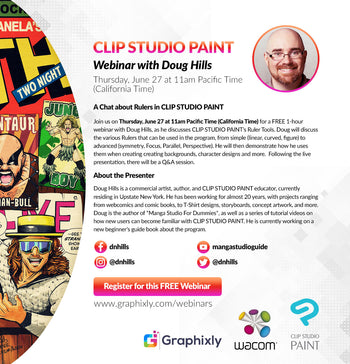
Webinar – A Chat about Rulers in CLIP STUDIO PAINT
Webinar
Please register for Webinar – A Chat about Rulers in CLIP STUDIO PAINT with Doug Hills:
Click here to register for this FREE Webinar

Tue, Jun 11, 19
Using the Gradient Tool In CLIP STUDIO PAINT
Hello there! My name is Doug Hills, and I would like to welcome you to the Clip Studio Guide.
This is the first entry of an ongoing series of posts that will discuss how to use some of the tools and functions of CLIP STUDIO PAINT. They are intended to help new users become familiar and comfortable with what is available, whether they are new to CLIP STUDIO PAINT, or digital creation in general.